OpenAI Codex Plugins Guide: Directory, Local Installs, and Packaging Basics
Posted March 27, 2026 by XAI Tech Team ‐ 9 min read
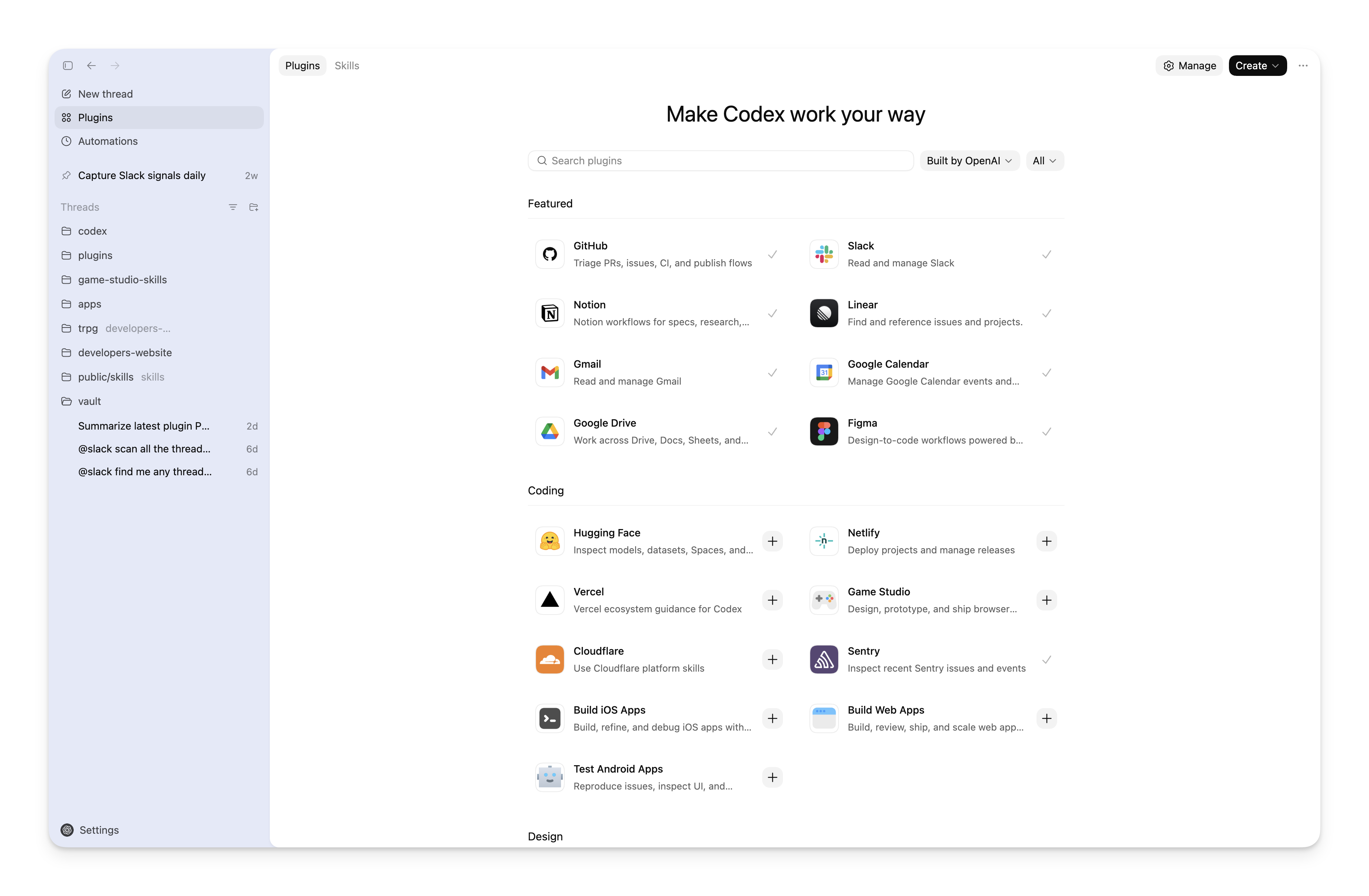
OpenAI's official Codex docs now include a dedicated Plugins page that explains how to package reusable workflows, instructions, and external tooling into something Codex can install and reuse across projects.
The screenshot above comes from the official docs. The plugin directory is positioned more like a workflow catalog than a low-level settings page.
If you mostly think of Codex as "the AI that writes and edits code," the practical takeaway is simple: a Codex plugin lets you bundle a repeatable setup and install it again later for yourself, for a repo, or for a team.
Codex / Plugins documentation. It keeps the main structure, examples, and screenshots, but it is not a full repost of the original page.Six quick takeaways
- A Codex plugin is an installable workflow bundle, not just a single prompt.
- One plugin can package three main things:
skills, optional app integrations, andMCPserver config. - Most users will encounter plugins in two places: the Codex app directory and the CLI
/pluginssurface. - If you only need something for one repo, a local
skillis often enough at first. - Plugins become more valuable once you want reuse across projects or teams.
- Public publishing to the official Plugin Directory is not fully open yet. The docs currently describe that path as coming soon.
What a Codex plugin actually is
The official docs define plugins as installable bundles for reusable Codex workflows.
In plain terms, a plugin is a package that can hold:
Skills: instructions that tell Codex how to carry out a workflowApps: optional app or connector mappingsMCP servers: remote tools or shared context needed by the plugin
That matters because many real workflows are not just "one good prompt." They often involve:
- a repeatable way to analyze or implement work
- access to external tools or services
- a stable setup you want to reuse across multiple tasks
Instead of rebuilding that setup from scratch every time, you can package it as a Codex plugin and install it again when needed.
Where normal users will use plugins
1. In the Codex app
The official docs say that OpenAI-curated plugins appear in the Codex directory. If you want ready-made workflows without manually creating folders and config files, this is the easiest entry point.
The main point is not just that there is a directory. It is that Codex is moving toward a model where skills, tools, and integrations are installed through a unified surface instead of being scattered across ad hoc setup notes.
2. In the CLI with /plugins
If you use Codex from the terminal, the official docs give this flow:
codex
/plugins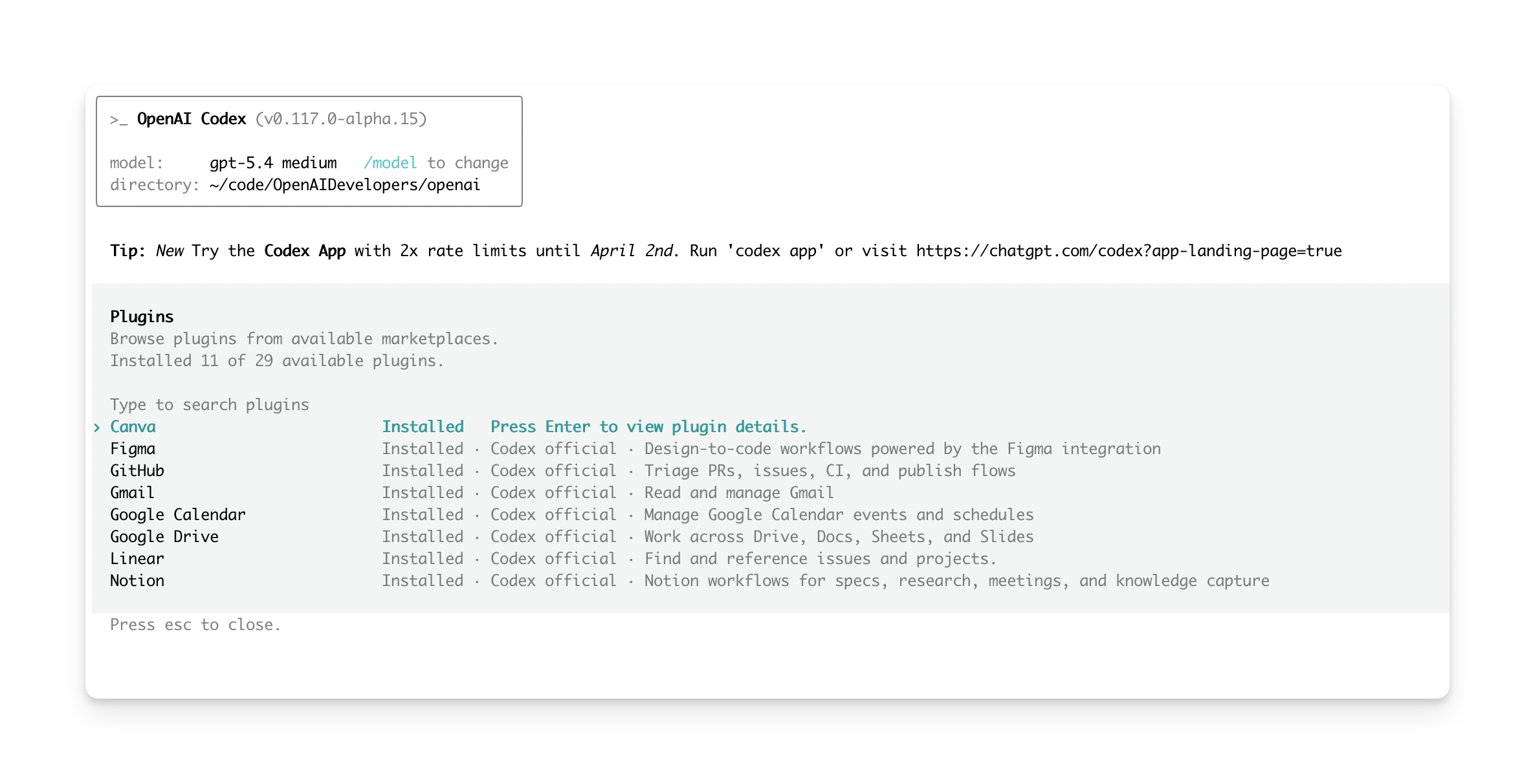
The official docs also show a CLI plugin browser, which means the plugin model is not limited to the graphical app.
That is an important product signal: plugins are meant to work across Codex surfaces, not just in one UI.
The fastest way to create a local plugin
Start with @plugin-creator
The official recommendation is not to hand-build the entire folder structure first. Instead, the docs point people to the built-in @plugin-creator skill.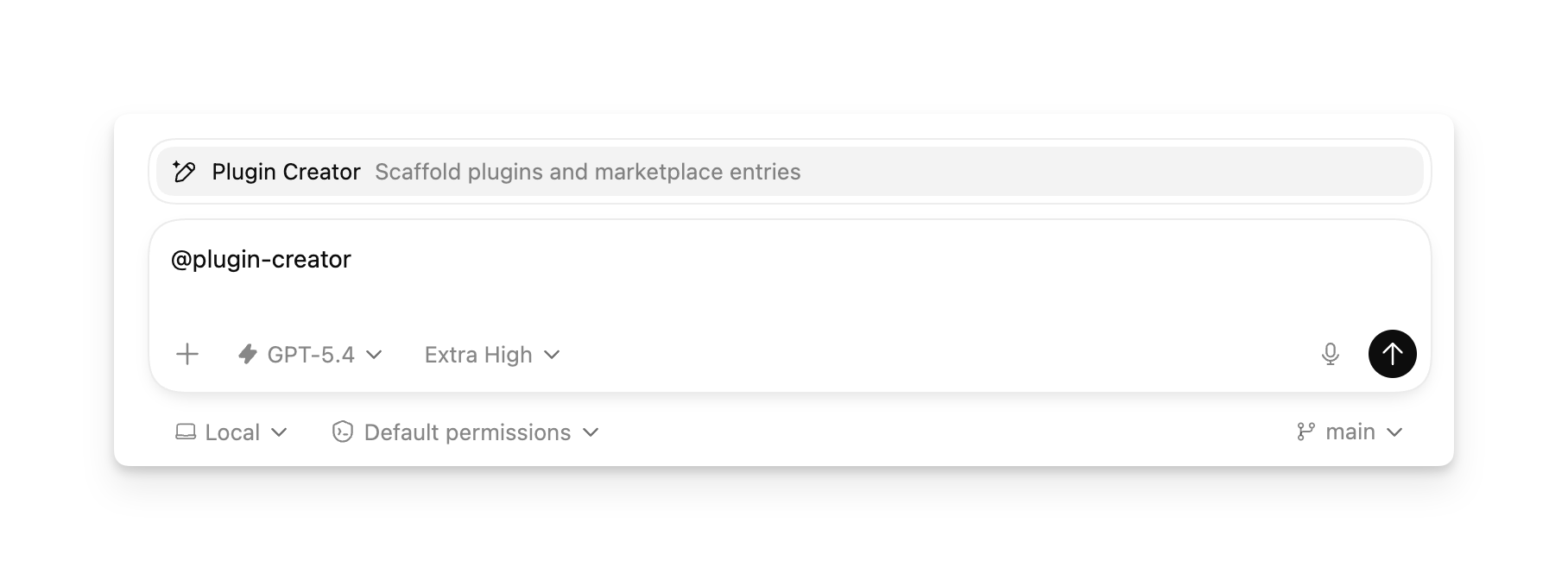
This is the built-in helper OpenAI shows for scaffolding a local plugin.
At minimum, it can help you:
- create the required
.codex-plugin/plugin.json - generate a local marketplace entry for testing if needed
The docs also suggest using @plugin-creator when you already have a plugin from another ecosystem or a plugin you built yourself and want to wire it into a local Codex marketplace.
You can still install a local plugin manually
If you do not want to use @plugin-creator, the manual path is still straightforward. The key concept is that local plugins are typically exposed through a marketplace JSON file, not just by pointing Codex at an arbitrary folder.
OpenAI documents two common patterns:
- a repo marketplace, which lives with the project
- a personal marketplace, which lives under your home directory
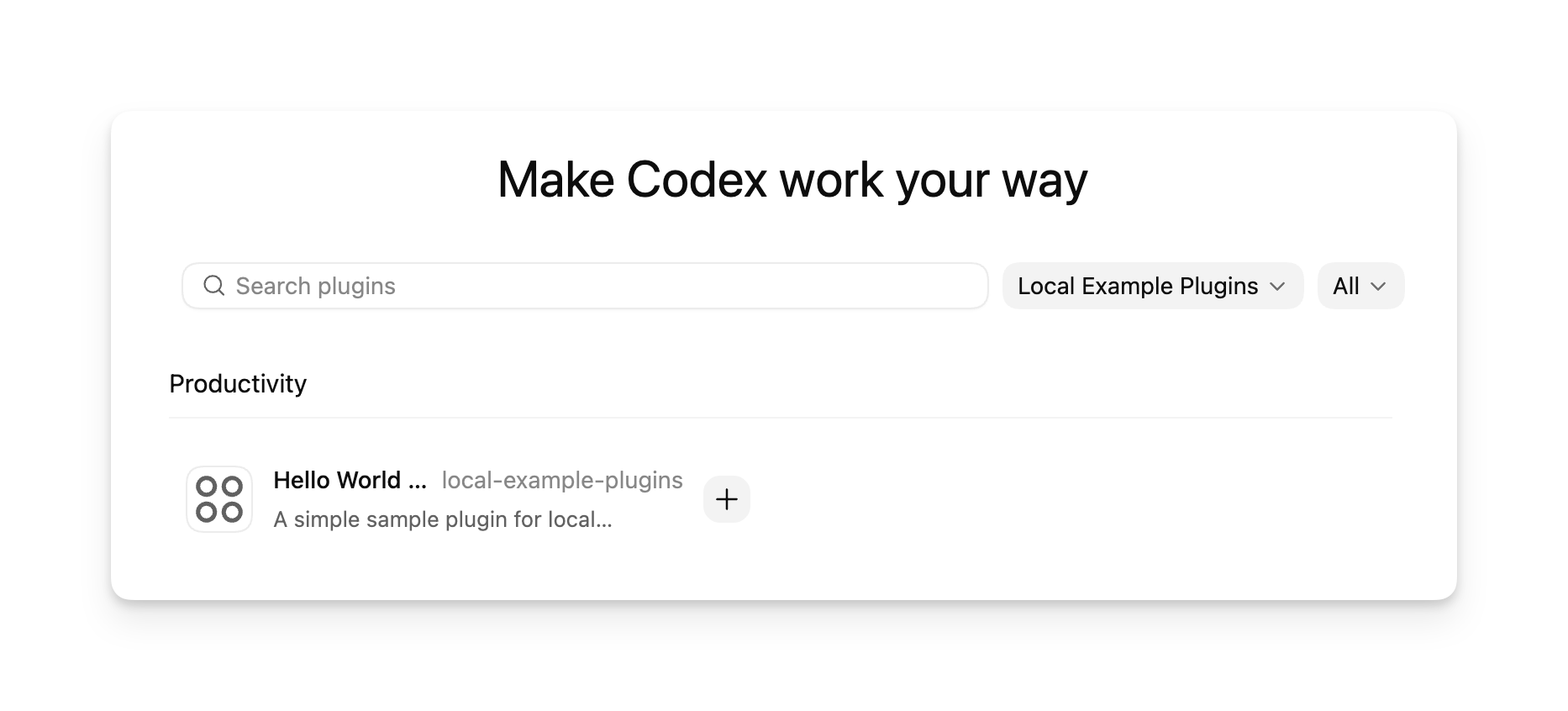
The official docs also show a custom local marketplace inside the plugin directory UI.
Repo marketplace vs personal marketplace
Repo marketplace
This is the right fit when:
- the plugin belongs to the current repository
- you want the plugin setup versioned with the project
- teammates should see the same plugin entry after pulling the repo
The docs recommend this marketplace location:
$REPO_ROOT/.agents/plugins/marketplace.jsonAnd a common plugin folder layout like:
$REPO_ROOT/plugins/my-pluginHere is a simplified example based on the official format:
{
  "name": "local-repo",
  "interface": {
    "displayName": "My Local Repo Plugins"
  },
  "plugins": [
    {
      "name": "my-plugin",
      "source": {
        "source": "local",
        "path": "./plugins/my-plugin"
      },
      "policy": {
        "installation": "AVAILABLE",
        "authentication": "ON_INSTALL"
      },
      "category": "Productivity"
    }
  ]
}
Personal marketplace
This is a better fit when:
- the workflow is just for you
- you want to reuse it across many repos
- you do not want the plugin committed into a specific project
The docs recommend this marketplace location:
~/.agents/plugins/marketplace.jsonAnd a common plugin folder like:
~/.codex/plugins/my-pluginAcross both patterns, the official docs emphasize a few rules:
source.pathshould be relative to the marketplace root- the path should start with
./ - every plugin entry should include
policy.installation,policy.authentication, andcategory
After you change the plugin files, you usually need to update the directory the marketplace points to and restart Codex so the local installation picks up the new files.
What the marketplace actually does
It is easy to assume that "marketplace" just means the official plugin store. In the Codex docs, it means something more general and more useful:
a marketplace is a JSON catalog of plugins that Codex can read, display, and install.
The official docs say Codex can read marketplace files from:
- the curated marketplace behind the official Plugin Directory
- a repo marketplace at
$REPO_ROOT/.agents/plugins/marketplace.json - a personal marketplace at
~/.agents/plugins/marketplace.json
Once installed, plugins are copied into a local cache. The docs give this cache path pattern:
~/.codex/plugins/cache/$MARKETPLACE_NAME/$PLUGIN_NAME/$VERSION/For local plugins, $VERSION becomes local. The docs also note that each plugin's enabled or disabled state is stored in:
~/.codex/config.tomlThat design makes plugins feel more like real software packages and less like loose folders hanging off a custom config.
What a Codex plugin folder looks like
The official rule is very clear: .codex-plugin/plugin.json is the required entry point. Everything else is optional and layered on top as needed.
A typical plugin layout looks like this:
my-plugin/
├── .codex-plugin/
│   └── plugin.json
├── skills/
│   └── my-skill/
│       └── SKILL.md
├── .app.json
├── .mcp.json
└── assets/
    ├── icon.png
    └── logo.png
The most important structural detail is:
- only
plugin.jsonbelongs under.codex-plugin/ skills/,assets/,.app.json, and.mcp.jsonstay at the plugin root
That separation keeps the package easier to reason about as it grows.
What usually goes into plugin.json
If you only need the smallest possible plugin, the docs show that you can start with something very close to this:
{
  "name": "my-first-plugin",
  "version": "1.0.0",
  "description": "A reusable workflow bundle",
  "skills": "./skills/"
}
The basic roles are:
name: the stable plugin identifier, usually in kebab-caseversion: the plugin versiondescription: a one-line summaryskills: the bundled skills directory
From there, richer plugins often add:
- publisher metadata such as
author,homepage,repository,license, andkeywords - component pointers like
mcpServersandapps - presentation metadata under
interface
The interface object is where install-surface details live, including fields such as:
displayName,shortDescription,longDescriptiondeveloperName,category,capabilitieswebsiteURL,privacyPolicyURL,termsOfServiceURLdefaultPrompt,brandColorcomposerIcon,logo,screenshots
The easiest way to think about it is this: those extra fields do not just help the plugin run, they help it be presented cleanly anywhere Codex offers installation and discovery.
The smallest useful first plugin
The official docs recommend starting with a plugin that packages just one skill, rather than trying to wire up every external system on day one.
That minimal path is:
- create a plugin folder and add
.codex-plugin/plugin.json - add a
skills/<skill-name>/SKILL.md - load it into Codex through a local marketplace
In practice, version one can be just:
- one
plugin.json - one
SKILL.md - one marketplace entry
Then you can add .mcp.json, .app.json, icons, and screenshots later.
That is the right order for most users because it validates the workflow first instead of front-loading packaging and metadata work.
When to use a plugin vs just a local skill
This is where the official guidance is especially practical:
start local, then package when the workflow is worth sharing.
Use a local skill first when
- you are iterating in one repo
- the behavior is personal or project-specific
- you are still experimenting
Turn it into a plugin when
- you want the same workflow across multiple repos or teams
- you want to bundle skills, app integrations, and MCP config together
- you want a stable, versioned package other people can install
For most users, the sensible sequence is:
- start with a local skill
- promote it to a plugin once it proves useful
- invest in marketplace metadata and presentation once reuse really matters
What this means for ordinary Codex users
Seen in context, the Plugins docs matter for three reasons:
- For end users, more reusable Codex workflows can become installable items instead of scattered setup instructions.
- For power users, the mix of skills, tools, and integrations you rely on can finally be packaged into a clean unit.
- For teams, Codex usage can become standardized instead of everybody maintaining their own prompts and local conventions.
That is why the docs focus so much on marketplaces, manifests, install policy, and display metadata. This is not just another prompt feature. It is the foundation of a distributable Codex plugin ecosystem.
What is not fully open yet
If your next question is "How do I publish my plugin to the official public directory?", the current docs are still cautious:
- adding plugins to the official Plugin Directory is marked as coming soon
- self-serve public publishing and management are also marked as coming soon
So the local and private plugin path is already well documented, while the public distribution path is still taking shape.
References
- OpenAI Developers: Plugins – Codex